Professional OpenClaw Setup

Your OpenClaw setup,
done right the first time
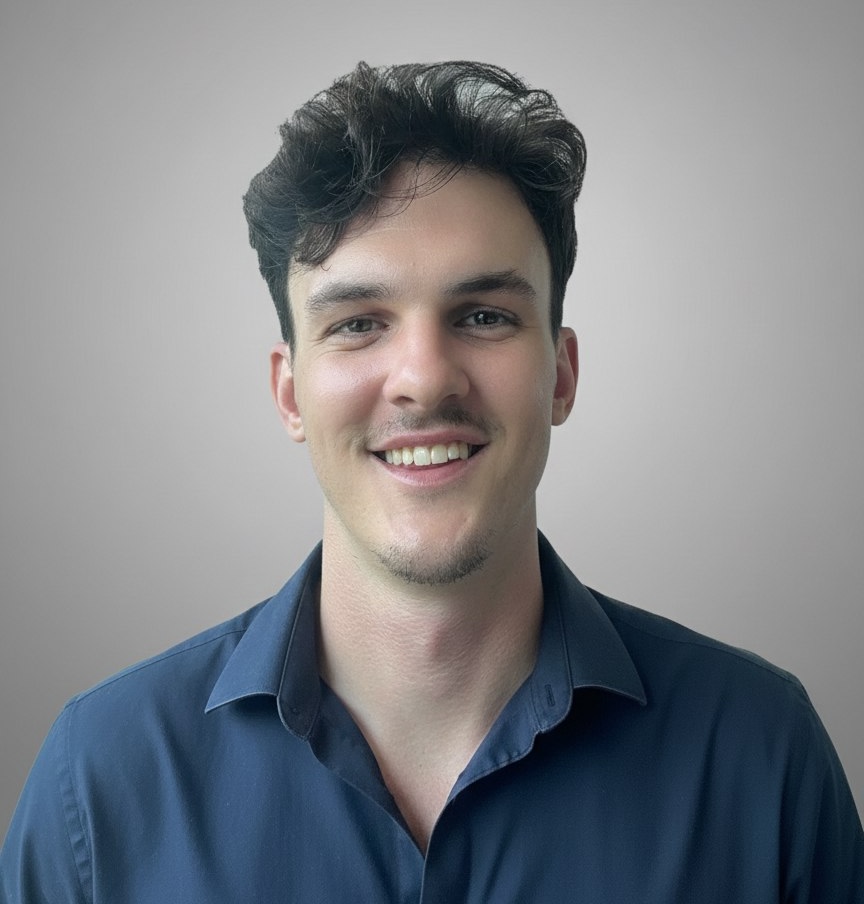
Jess Stetson Mason

I'm Jess Stetson Mason, founder of NovaSoft AI. I handle your entire OpenClaw setup from start to finish. Server deployment, channel connections, custom prompts tailored to your business, security hardening, and hands-on training. You get a discovery session, a written roadmap, and a fully running AI assistant on a Mac Mini or VPS in 1 to 3 days.

Book Your Setup Call

What You Are Setting Up

OpenClaw is the AI assistant everyone is talking about

OpenClaw is the open-source AI assistant taking the internet by storm. It runs 24/7 on your own hardware, handling real work across every channel you use.

It is not a chatbot. It is a digital employee capable of genuine reasoning, complex workflows, and autonomous decision-making. The setup is the hard part. That is where I come in.

  • Messaging across Telegram, WhatsApp, Discord, Slack, and more
  • Automated workflows and business process orchestration
  • Web research, data analysis, and report generation
  • Code generation, debugging, and system administration
  • Custom skills built for your exact business needs
  • Memory and context that persists across conversations

Why Professional Setup Matters

OpenClaw setup is where most people get stuck

The platform is free and open source. But a proper OpenClaw setup requires server configuration, security hardening, API integration, and custom prompt engineering. That takes expertise.

01

Architecture

Which model, which configuration, which skills, which integrations. Hundreds of decisions that determine whether your assistant is useful or frustrating.

02

Integration

Your CRM, your messaging platforms, your databases, your workflows. A consultant maps your infrastructure and connects every piece.

03

Optimization

The difference between a decent assistant and an exceptional one is in the tuning. Prompt engineering, skill development, memory management, cost control.

04

Security

Your assistant only accesses what you are comfortable with. I help you find the right balance between usefulness and security, so you get maximum value without exposing anything you should not.

Full OpenClaw Setup Package

Everything included in your OpenClaw setup

01

Professional Discovery Chat

We start with a focused conversation about your business, workflows, and goals. You get a clear roadmap of what we can build together with OpenClaw, so you know exactly what to expect before any work begins.

02

Written Roadmap & Prompt Package

After learning about your business during our discovery session, I identify the absolute best use cases for your operations. You receive a written roadmap along with useful prompts specifically tailored to your business goals. Not generic templates. Real, actionable direction built around how your business actually works.

03

Full Implementation & Integration

Complete OpenClaw deployment on a dedicated Mac Mini or VPS, whichever suits your business better. Your CRM, email, calendar, messaging platforms, and databases connected seamlessly. Every integration scoped to exactly what your assistant needs. Production-grade reliability, security hardening, and custom skills built for your exact operations.

04

Training & Ongoing Support

Hands-on training so you and your team can confidently manage your AI assistant. Plus continuous refinement as your business evolves: performance monitoring, cost optimization, new skill development, and prompt engineering to keep everything sharp.

OpenClaw Setup Process

How your OpenClaw setup works, start to finish

1

Discovery Chat

A professional discovery session where we map your business, tools, and goals. You walk away with a clear roadmap of exactly what we can build together with OpenClaw.

2

Build & Configure

I deploy your assistant on a Mac Mini or VPS with a written roadmap and prompt package tailored to your business goals. Every skill, integration, and workflow built for your exact operations.

3

Training & Launch

Hands-on training so you and your team know exactly how to get the most out of your assistant. Then we go live and refine until it runs like a senior employee.

OpenClaw Setup Pricing

One price for your complete OpenClaw setup

No hidden fees, no hourly billing, no surprises. You get the full package.

$1,499

One-time investment

  • Professional Discovery Session

    1-on-1 deep dive into your business to identify the highest-impact use cases for your AI assistant

  • Written Roadmap & Tailored Prompts

    A custom roadmap with prompts engineered specifically for your business goals. Not templates. Real strategy.

  • Full Deployment on Mac Mini or VPS

    Complete production setup on dedicated hardware. Server, gateway, security, messaging channels. All connected, all hardened.

  • Custom Skills & Integrations

    Your CRM, email, calendar, databases, and workflows wired in. Purpose-built skills for your exact operations.

  • Hands-On Training

    Complete walkthrough so you and your team can manage, extend, and get maximum value from your assistant.

  • Ready in 1 to 3 Days

    Not weeks. Not months. Your AI assistant is live and working within days of our first conversation.

Get Your OpenClaw Set Up

OpenClaw Setup FAQ

Common questions about OpenClaw setup

OpenClaw is an open-source AI assistant platform that operates 24/7. It handles messaging, automation, web research, coding, file management, and complex workflows. Think of it as a digital employee with genuine intelligence. The OpenClaw setup process involves server deployment, security configuration, API connections, and custom prompt engineering, which is why most people hire a professional to get it right.
You can try, but most people spend days troubleshooting server configs, gateway settings, API connections, and security. A professional OpenClaw setup skips all of that. You get a discovery session where I identify the best use cases for your business, a written roadmap with prompts tailored to your goals, hands-on training, and full deployment on a Mac Mini or VPS. Your OpenClaw setup is done right, secured properly, and running in 1 to 3 days instead of weeks of frustration.
Any business that wants to automate complex workflows, handle customer communications at scale, or deploy AI-powered operations. Common clients include agencies, SaaS companies, real estate firms, property managers, and service businesses.
No. That is exactly why you hire someone for your OpenClaw setup. I handle all technical implementation: server, gateway, channels, security, prompts, everything. You interact with your AI assistant through natural conversation on platforms you already use, like Telegram, WhatsApp, or Discord.
Your assistant only gets access to what you are comfortable sharing. During setup, I work with you to define exactly what it can and cannot touch. From there, every integration is built with security in mind: authenticated endpoints, encrypted channels, isolated infrastructure. The goal is to find the sweet spot where your assistant is genuinely useful without overstepping. I help you strike that balance and lock it down properly.

About

Jess Stetson Mason

Jess Stetson Mason

Founder of NovaSoft AI, where we design and deploy AI systems that run real business operations. Voice agents that close deals. Chatbots that manage properties. Automation pipelines that never sleep.

NovaSoft AI works at the intersection of cutting-edge language models, voice technology, and business process automation. We do not build demos. We build production systems that handle thousands of conversations, qualify leads autonomously, and integrate deeply with the tools businesses already use.

I have set up OpenClaw for businesses across industries. If you want your OpenClaw setup done right the first time, with production-grade security and custom configuration, you are in the right place.

Ready for your OpenClaw setup?

One call. No pitch, no pressure. Just a conversation about getting your OpenClaw set up and what it can do for your business.

Book Your Setup Call